New: SEO Blog Writer, a readable, checked blog post for your site every week. Pay once, download straight away.

See it
AI Skill Up
Browse skills

SEO & growth

SEO Blog Writer

A readable, checked blog post every week, aimed at one search, and a blog in your site's look if you do not have one yet.

Most small sites know they should blog for SEO and never start, or start and stop after three posts. The usual reasons: no blog page to put posts in, no idea what to write about, and posts that read like they were written for a robot.

This skill fixes all three inside Claude Code. It looks at your project first. If there is no blog, it builds one in your framework and your site's own colours and fonts (or designs one to suit your product if the site has no look yet), with the head tags, structured data, sitemap and RSS that search engines need. Then it plans posts around searches your buyers actually type, one search per post, and writes each one in short, plain sentences with no em dashes, checked by a linter before you see it.

It keeps a calendar in your project and tells you when a week has passed, so the blog keeps growing. If you sell something, each post shows the product it leads to in the sidebar. And it tells ChatGPT, Claude, Perplexity and other AI assistants they are welcome, with a robots.txt that names their crawlers and an llms.txt that lists every post.
What it produces

blog.mjs lint on the demo's first post
Dashesno em or en dashes
Title45 characters
Description146 characters
Keywordin the title, description, first 100 words and an H2
Readabilityaverage sentence 11.9 words, reading ease 95
Links and images5 internal links, every image has alt text
Length620 words: check it answers the follow-up questions

See it working

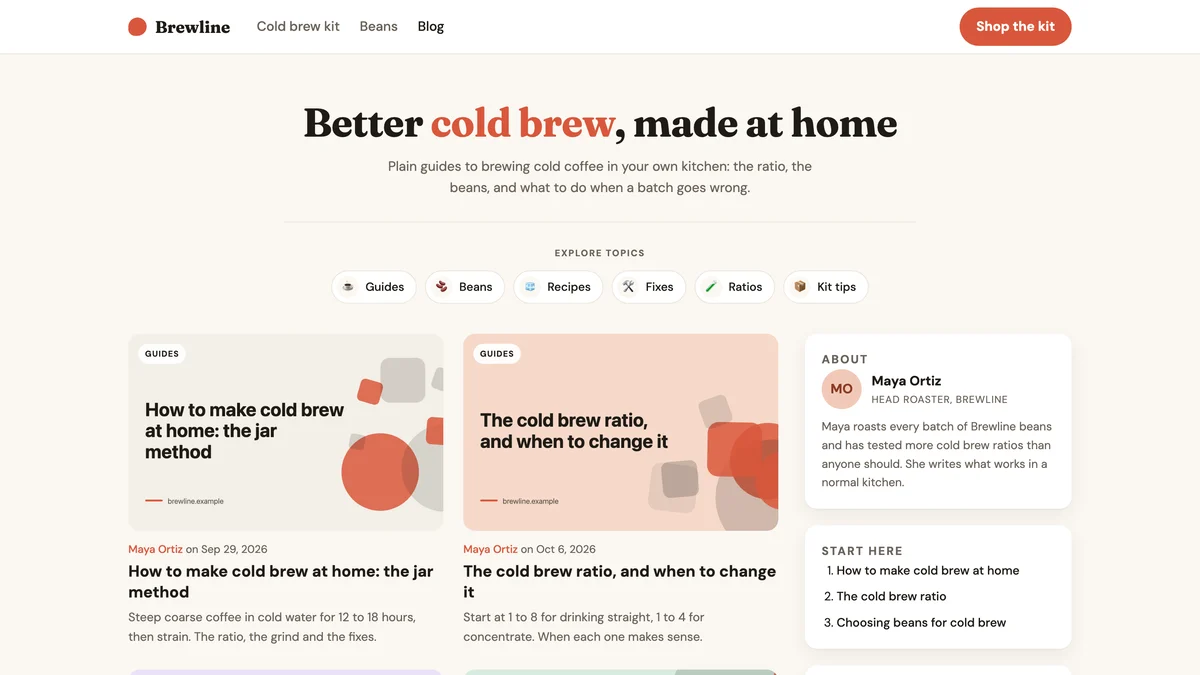
A blog index for a demo shop called Brewline: the headline Better cold brew, made at home, a row of topic chips, a two-column grid of post cards with pastel covers, and a sidebar with an About card and a Start here list.
Builds the blog when there is none. The Magazine layout, built for a demo coffee shop in its own colours: a headline, topic chips, cards with a cover per post, an author box and the product.
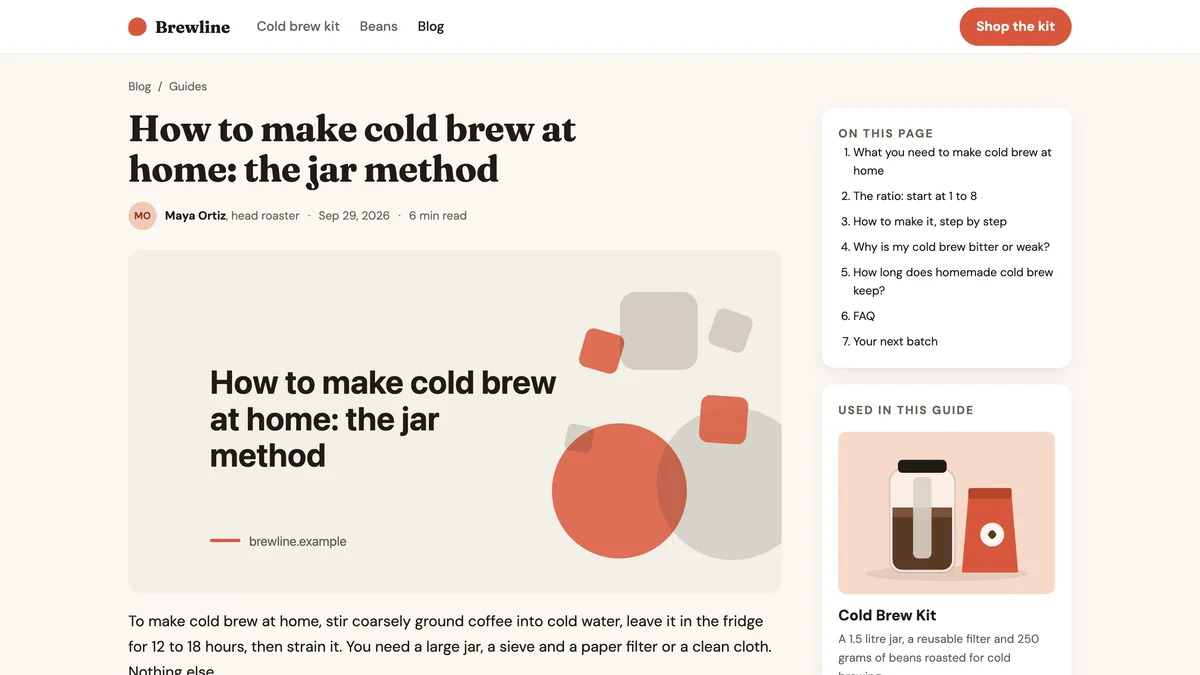
A blog post titled How to make cold brew at home: the jar method, with author, date and reading time, a cover image, and a sidebar with an On this page list and a Used in this guide card for a Cold Brew Kit at 38 dollars with a Get the kit button.
Sells the post's own product beside it. A post page with a table of contents and, in the sidebar, the product this post leads to: image, name, one line, price and one button.
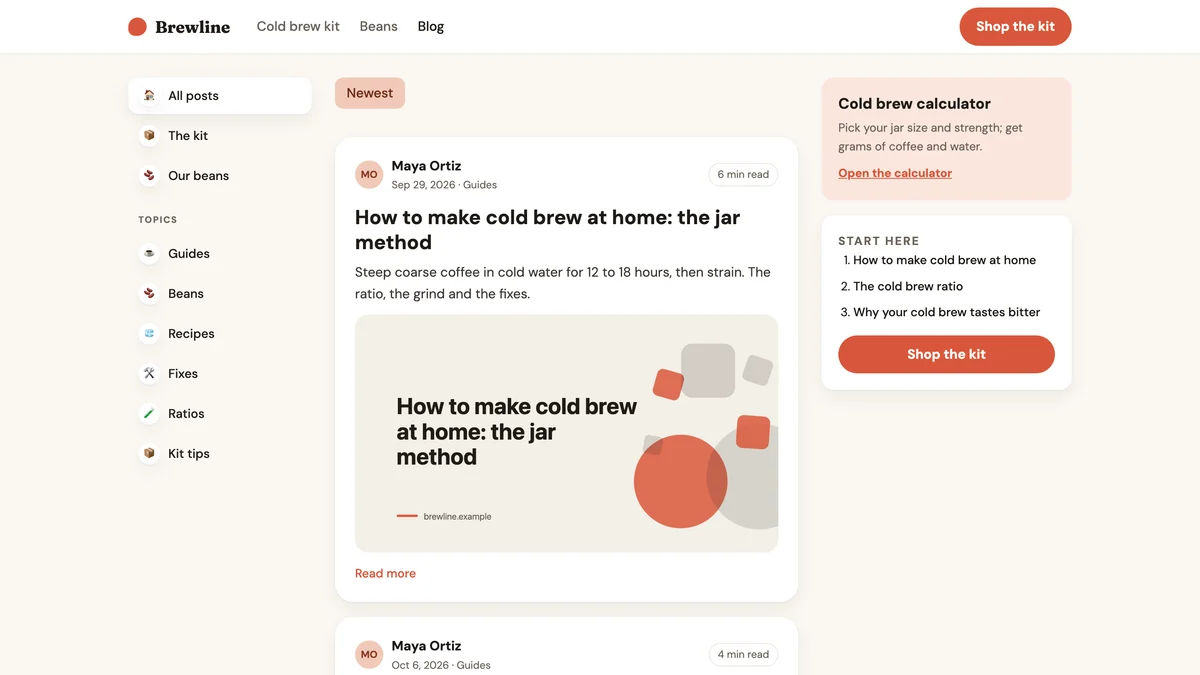
The same demo blog in a three-column feed layout: a left menu of topics, post cards with author, date, title, excerpt and a large image, and a right column with a cold brew calculator card and a Start here list with a Shop the kit button.
Or a feed, for content-heavy sites. The Feed layout for the same site: topic navigation on the left, full-width post cards, a tool and the product on the right. No invented likes or view counts.

Captured on 29 September 2026 from a demo site we built by running the skill: Brewline is a made-up cold brew shop, not a customer, and its product and price are part of the demo. The first post is written in full and passes the skill's checker; the other cards are the titles from its eight-post plan. The covers were drawn by the skill's cover command.

Trigger accuracy

Not measured yet. We will publish the trigger accuracy here, with the date and the test suite, once the eval has run. No number until then.

What we changed

  1. Finds your framework and any existing blog first. With no blog, it builds the index, post page, topics, pagination, RSS, sitemap entries, head tags and JSON-LD in your framework and your site's look.
  2. Three layouts to choose from (Magazine, Feed, Notebook), picked for your kind of product, with starter colours and fonts when your site has no look yet.
  3. Plans posts around searches a young site can win, grouped into clusters, and refuses to plan two posts for the same search.
  4. Writes in short, plain sentences with the answer at the top, a visible FAQ and internal links, with no em or en dashes and no invented facts, then checks every post with a linter before you see it.
  5. Sounds like you, not like a model: it matches your voice from something you wrote, runs an editor's pass on every draft, and its checker flags eleven signs of generated writing, from stock AI vocabulary to same-length sentences.
  6. Keeps a weekly calendar in your project and tells you when the next post is due, through a Claude Code session reminder, a scheduled routine or a GitHub issue.
  7. If you sell, each post shows the product it leads to in the sidebar, from one product list, so a price lives in one place.
  8. Names ChatGPT's, Claude's, Perplexity's, Gemini's and other AI crawlers in your robots.txt (training crawlers are your choice) and keeps an llms.txt listing every post.

What it does, on real work

A site with no blog

> start a blog for my site and write the first post

Written to ask five questions about your product and buyers, plan eight posts, build a blog in your site's style after you approve the layout, then write and check the first post.

Every week after

> write this week's blog post

Written to take the next topic from the calendar, ask you one question only you can answer, write and check the post, link it to older ones, and update llms.txt.

Showing up in AI answers

> make my site show up in ChatGPT and Perplexity answers

Written to report which AI crawlers your robots.txt lets in, add a block naming each one after you choose about training, and write your llms.txt.

How to use it

Five minutes to set up, then one short conversation a week.

  1. Install. Unzip the download into ~/.claude/skills/ and restart Claude Code. The install guide has the one command.
  2. Open your site's project and ask. Say "start a blog for my site". Answer the five questions it asks: what you sell, who buys, your live URL, your name, and the questions customers ask before buying.
  3. Approve the plan and the layout. It shows eight planned posts and the blog layout it chose for your product, with the reason. Nothing is built until you say yes.
  4. Read the first post, then publish. It shows the title, description, link and opening before saving. You deploy the way you always do, then press Request indexing in Google Search Console.
  5. Once a week. When a week has passed it reminds you. Say "write this week's blog post" and it takes the next topic, asks you one question, and writes it.

How sites rank on Google, and what the skill does about it

Nobody outside Google knows the exact weights and nobody can promise a position. These are the approaches that consistently work, from Google's own guidance.

  1. Match what the searcher wants. A how-to for a how-to search, a comparison for a best-of search. The skill checks what ranks now before it plans a post.
  2. Be the most helpful answer. Answer at the top, cover the follow-up questions, and show first-hand experience. The skill asks you for the one detail only you know.
  3. Start with searches you can win. New sites grow on long, specific searches before broad ones. The plan starts there.
  4. Cover a subject in depth. Groups of posts on one subject, linked together, show what the site is about. The skill plans clusters and links every new post into its group.
  5. Be easy to crawl. Real HTML, a sitemap, correct canonical links, fast mobile pages and structured data. The skill builds these into the blog once.
  6. Keep publishing, and keep posts current. A steady rhythm for six months or more is what most sites that rank have in common. Hence the weekly calendar and the refresh reminders.
  7. Earn links, never buy them. Links from relevant sites still count for a lot; bought links break Google's rules. The skill plans posts worth linking to, but earning links is yours to do.
  8. Expect weeks to months. A new post is often indexed within days. Rankings on a young site usually take weeks to months to settle.

Requirements

  • Claude Code with skills support, and Node 18 or later (no packages to install)
  • A site in any framework: Next.js, Astro, SvelteKit, Nuxt, Remix, Qwik, Gatsby, Eleventy, Hugo, Jekyll or plain HTML
  • On WordPress, Webflow, Shopify, Wix or Ghost it writes the post and the SEO fields for you to paste in
  • Optional: web search in Claude Code, and Google Search Console to see the searches you already appear for

Related

aiskillup.online, a live site built in this style

A light storefront that reads calm and exact: warm paper, a poster headline, one amber action.

Eval suite not run yet
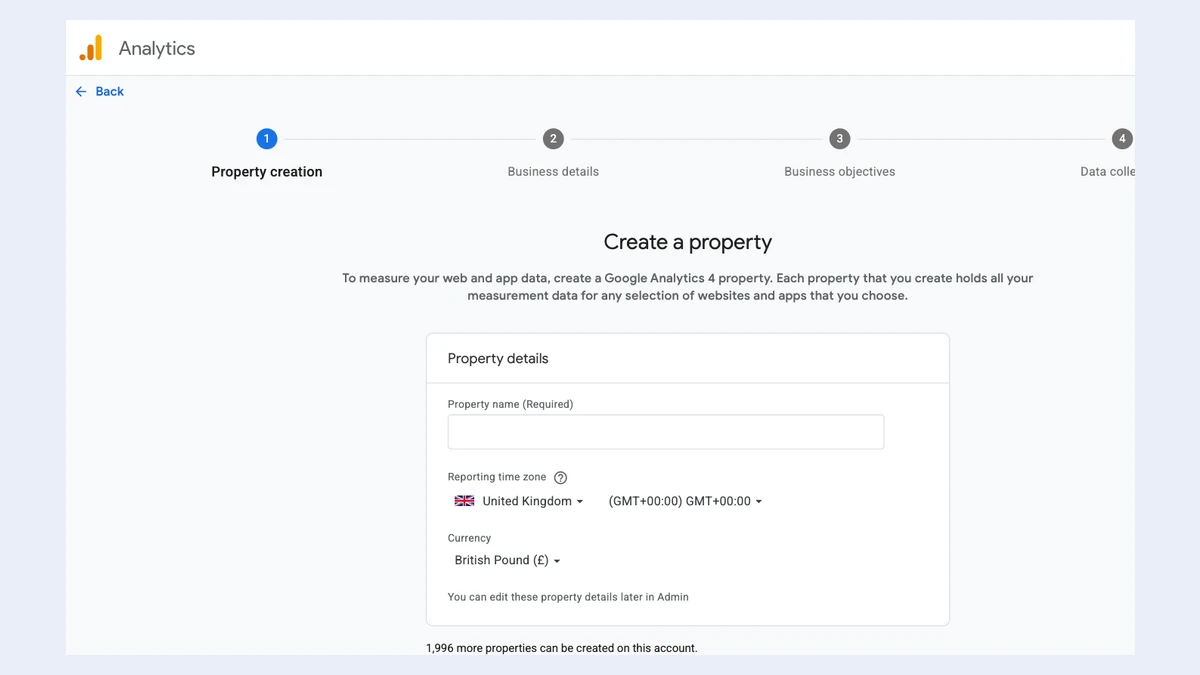
Google Analytics, Create a property: a four-step progress bar (Property creation, Business details, Business objectives, Data collection) above a Property details form with a Property name field, a Reporting time zone set to United Kingdom, and Currency set to British Pound.

Google Analytics 4 and Search Console for your site, set up by Claude in your own Chrome, with the tag in your code.

Eval suite not run yet