New: SEO Blog Writer, a readable, checked blog post for your site every week. Pay once, download straight away.

See it
AI Skill Up
Browse skills

Analytics

GA4 + Search Console Setup

Google Analytics 4 and Search Console for your site, set up by Claude in your own Chrome, with the tag in your code.

Setting up analytics for a new site is an hour of clicking through two Google consoles: create a property and a web stream, find the tag id, raise the data retention, add the site to Search Console, verify it, submit the sitemap, link the two, and work out where the tag goes in your framework.

With the Claude in Chrome extension connected, Claude does those clicks for you in your own Chrome, where you are already signed in to Google. It asks before each step that creates something, puts the tag in the right file for your framework, checks it is live after you deploy, then verifies the site and links Search Console to Analytics.

No extension? It walks you through the same screens one step at a time and does the code itself. Prefer the terminal? It can also use Google's APIs through the Google Cloud CLI. Your sign-in and Google's terms are always yours to click: it never types a password.
See it working

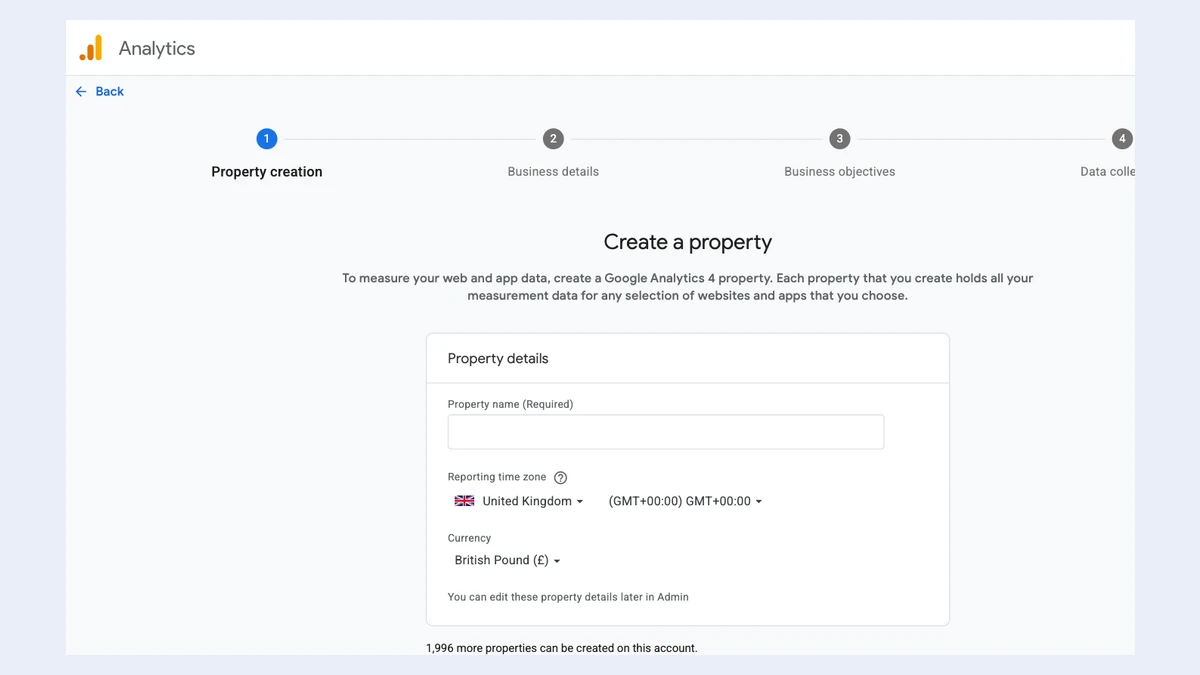
Google Analytics, Create a property: a four-step progress bar (Property creation, Business details, Business objectives, Data collection) above a Property details form with a Property name field, a Reporting time zone set to United Kingdom, and Currency set to British Pound.
Creates the GA4 property. Google Analytics' own "Create a property" screen: name, time zone and currency, then business details and the web stream. Claude fills it in and asks before it presses Create.
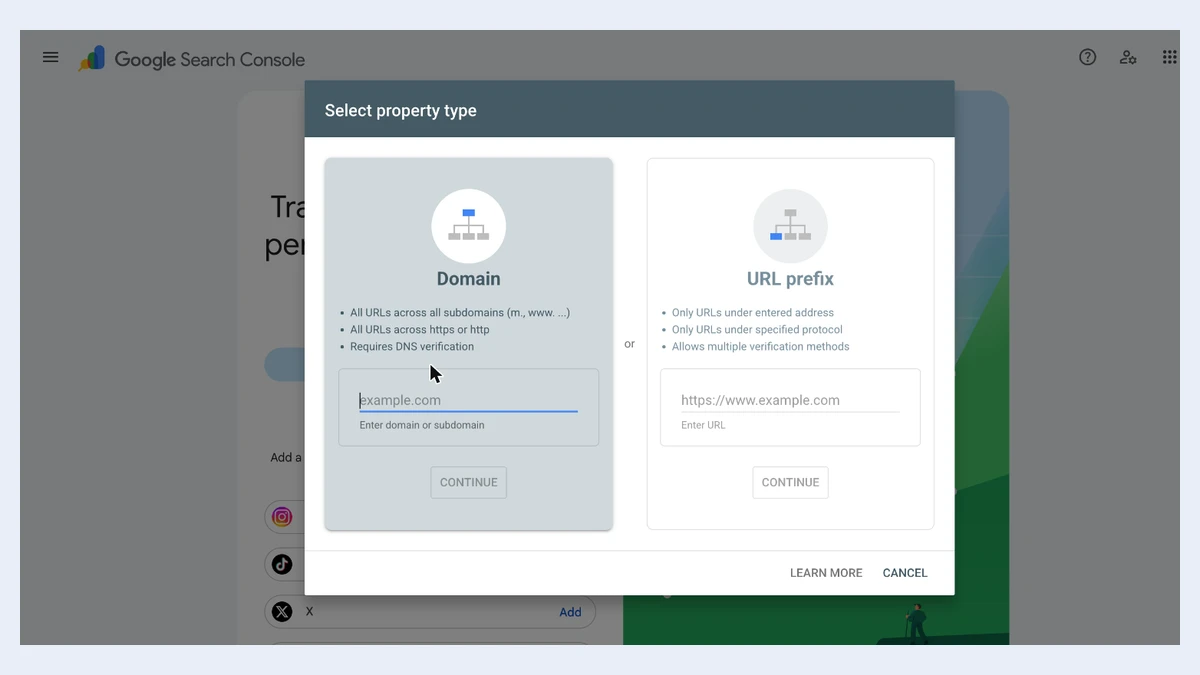
Google Search Console, Select property type dialog: Domain (all URLs across all subdomains and protocols, requires DNS verification) or URL prefix (only URLs under the entered address, allows multiple verification methods), each with an input and a Continue button.
Adds the site to Search Console. Search Console's choice between a Domain property, verified with a DNS record, and a URL prefix, which can be verified by the tag Claude installs.
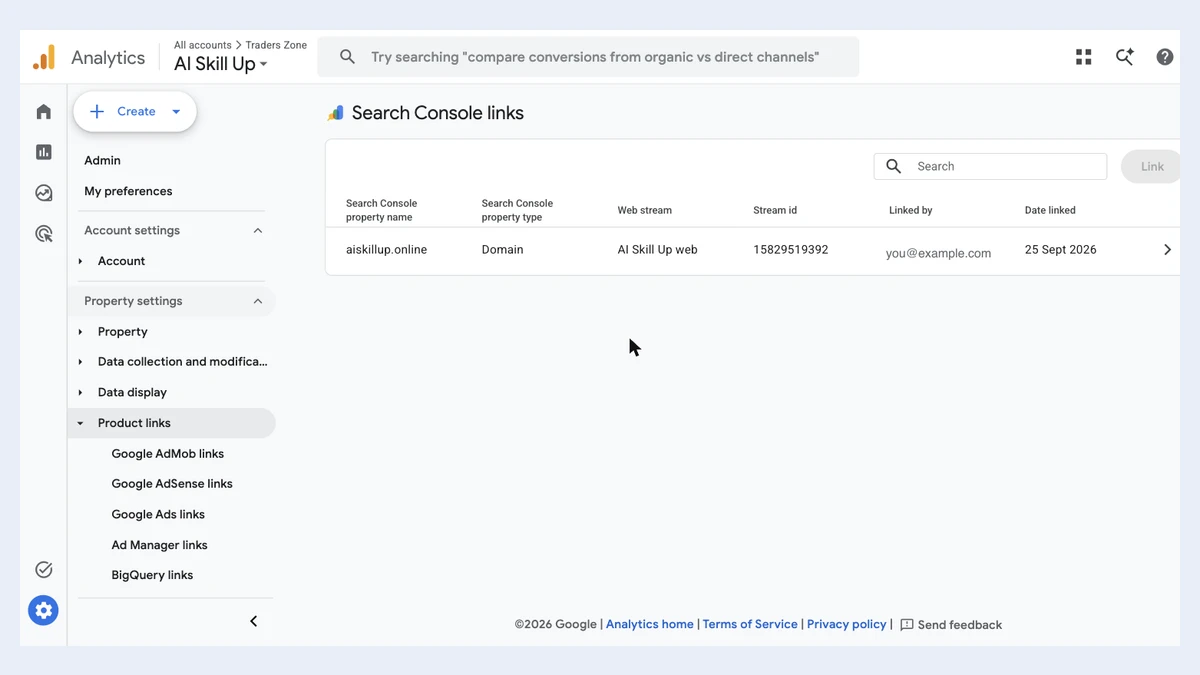
Google Analytics, Search Console links: one link for the domain property aiskillup.online, connected to the web stream AI Skill Up web, with the date linked.
Links Search Console to Analytics. The step no API covers, done in the browser: Search Console data shows up inside Google Analytics.

Real Google Analytics and Search Console screens, captured on 28 September 2026 in the account for this site, aiskillup.online. The linking user's email is replaced with an example. Google changes these screens from time to time; the skill reads the page rather than clicking blind.

Trigger accuracy

Not measured yet. We will publish the trigger accuracy here, with the date and the test suite, once the eval has run. No number until then.

What we changed

  1. Does the Google side in your own Chrome through the Claude in Chrome extension: property, web stream, 14-month retention, Search Console property, verification, sitemap and the Search Console link.
  2. Asks before every step that creates or saves something, and never types a password or accepts Google's terms for you.
  3. Puts the tag in your code, in the right file for eleven frameworks, with consent defaults, and checks it is live on the page after you deploy.
  4. Without the extension, a step-by-step walk through the same screens, one instruction at a time, while it does the code.
  5. An optional terminal mode through Google's APIs and the Google Cloud CLI, safe to run twice, for people who prefer it.

What it does, on real work

A new site, with Chrome connected

> add Google Analytics and Search Console to https://example.com

Written to confirm the plan, create the property and web stream in your Chrome, set retention, install the tag in your layout and, after you deploy, verify the site and link Search Console.

No extension

> set up analytics for my site, walk me through it

Written to give you one Google screen at a time, with the buttons to press and what to paste back, and to do the code as soon as you paste the tag id.

After the deploy

> we deployed, finish Search Console

Written to check the tag is live, press Verify, submit the sitemap and link Search Console to Analytics.

Requirements

  • Claude Code with skills support, and Node 18 or later
  • For hands-free setup: Google Chrome with the Claude in Chrome extension connected to Claude Code, signed in to your Google account
  • Without the extension: you click through Google's screens yourself, guided step by step
  • A Google account that can manage your site's Analytics; a brand-new Analytics account asks you to accept Google's terms once
  • Optional terminal mode: the Google Cloud CLI and a Cloud project for API quota

Related

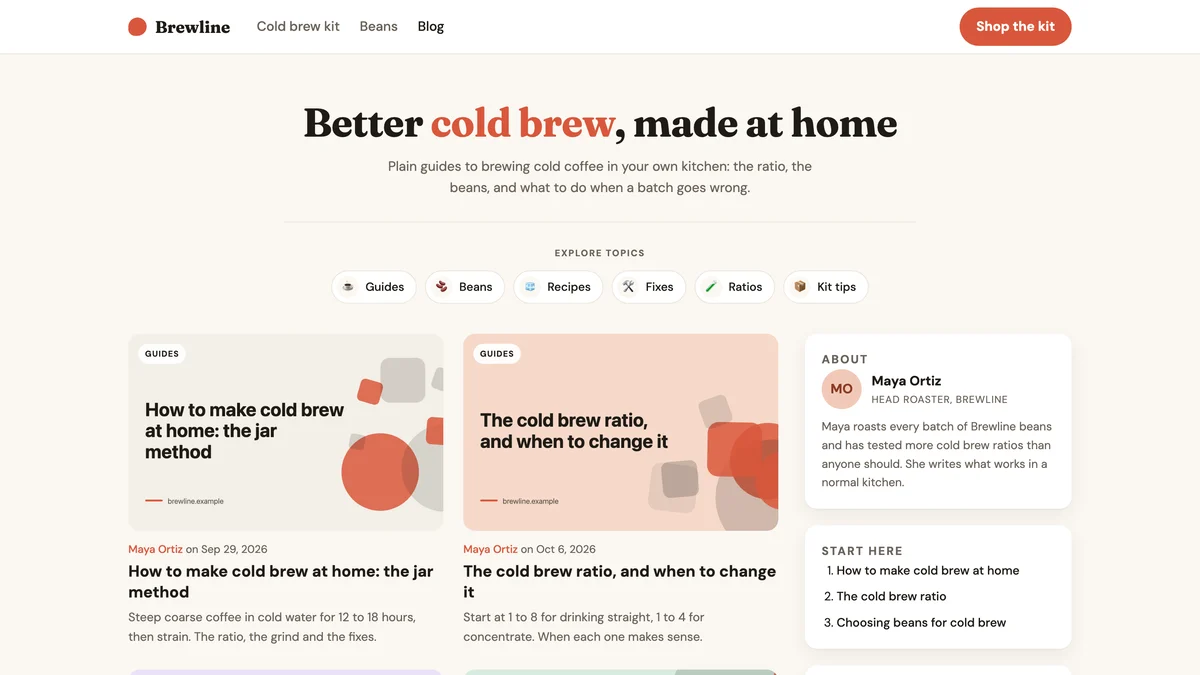
A blog index for a demo shop called Brewline: the headline Better cold brew, made at home, a row of topic chips, a two-column grid of post cards with pastel covers, and a sidebar with an About card and a Start here list.

A readable, checked blog post every week, aimed at one search, and a blog in your site's look if you do not have one yet.

Eval suite not run yet

traders-zone.in, a live site built in this style

Dark and premium without looking generated: glass cards, a violet and lime identity, mono numbers.

Eval suite not run yet