New: SEO Blog Writer, a readable, checked blog post for your site every week. Pay once, download straight away.

See it
AI Skill Up
Browse skills

Token efficiency

Capsule Status Line

Context, the 5-hour limit and the weekly limit as capsules, with the exact reset time inside each.

Claude Code warns you about context when it is nearly full, and shows your usage limits when you ask for them. Neither stays on screen while you work, so a limit tends to arrive as a surprise, and learning when it resets means stopping to check.

Capsule Status Line puts all of it on the line under your prompt. Context, the 5-hour limit and the weekly limit each get a capsule that fills as you use it and turns amber, then red, as it gets close. The exact reset time is written inside the capsule, with the day and date when it is not today. The folder and branch you are in stay on the left, so two sessions side by side never get confused.

It installs with one command, or by asking Claude. After that you change it by asking Claude or by editing one settings file: three themes, short or long labels, what shows, when colours change, and every colour. It keeps to one line in a narrow terminal, and it never replaces a status line you already have without asking.
What it produces

One line from a sample session, glass theme, read left to right
Folder and branchskillMarket (master)
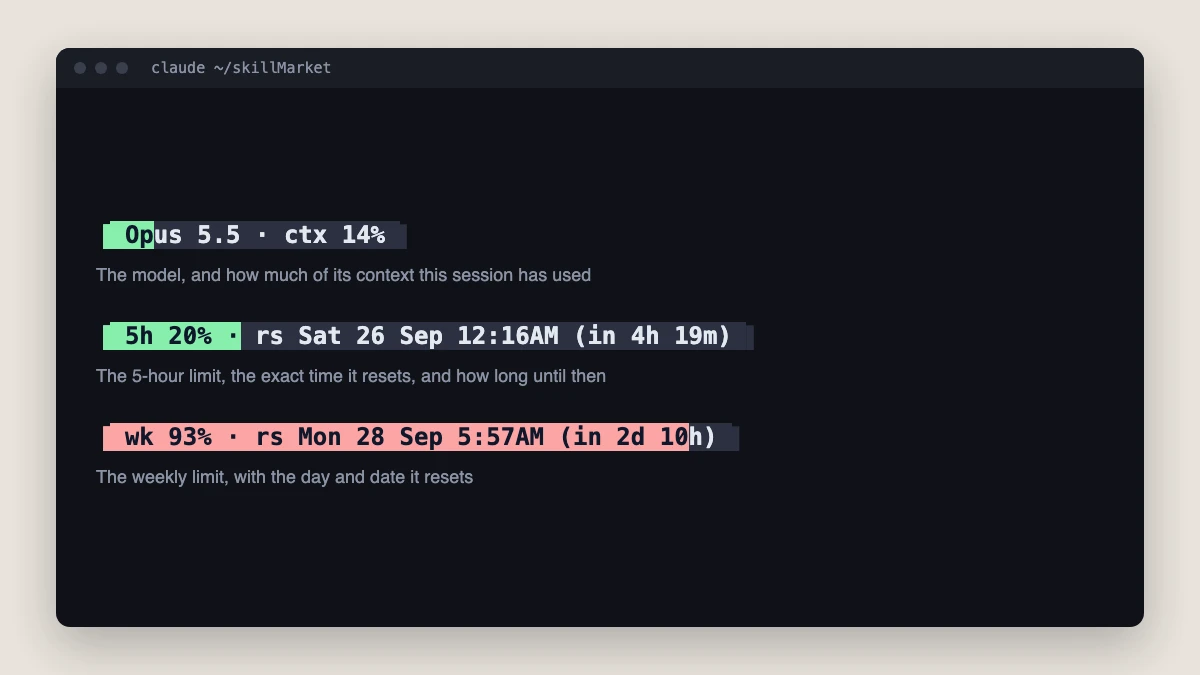
Opus 5.5 · ctx14%
5h20% · rs 12:06AM
wk93% · rs Mon 28 Sep 5:50AM
Also in sketch and cyborg, and on one line at any width

See it working

Three status line capsules on a dark terminal. The first reads Opus 5.5, ctx 14 percent. The second reads 5h 20 percent, rs Sat 26 Sep 12:16AM, in 4h 19m. The third, filled almost to the end in red, reads wk 93 percent, rs Mon 28 Sep 5:57AM, in 2d 10h.
Three capsules, each saying what it is. Context used by this session with the model name, the 5-hour limit and the weekly limit. Each shows the exact time it resets and how long until then.
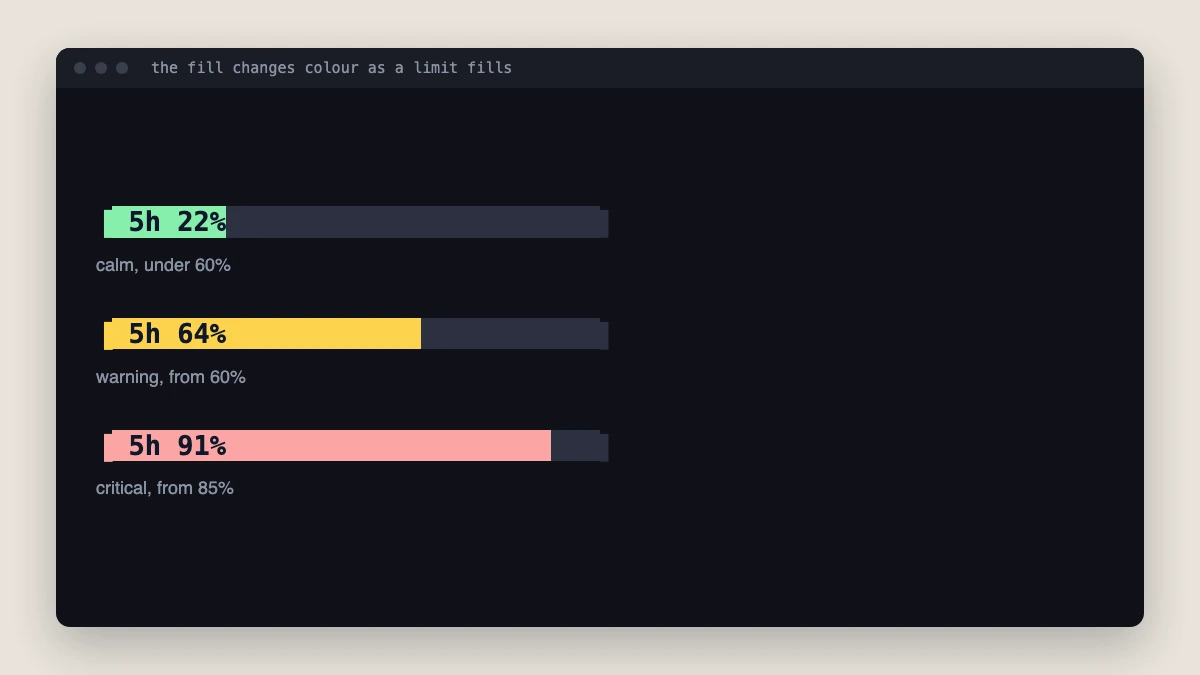
The same 5h capsule three times: 22 percent filled in green, 64 percent filled in amber, 91 percent filled in red.
Colour tells you how close you are. Green below 60%, amber from 60%, red from 85%. Both thresholds and all three colours are settings.
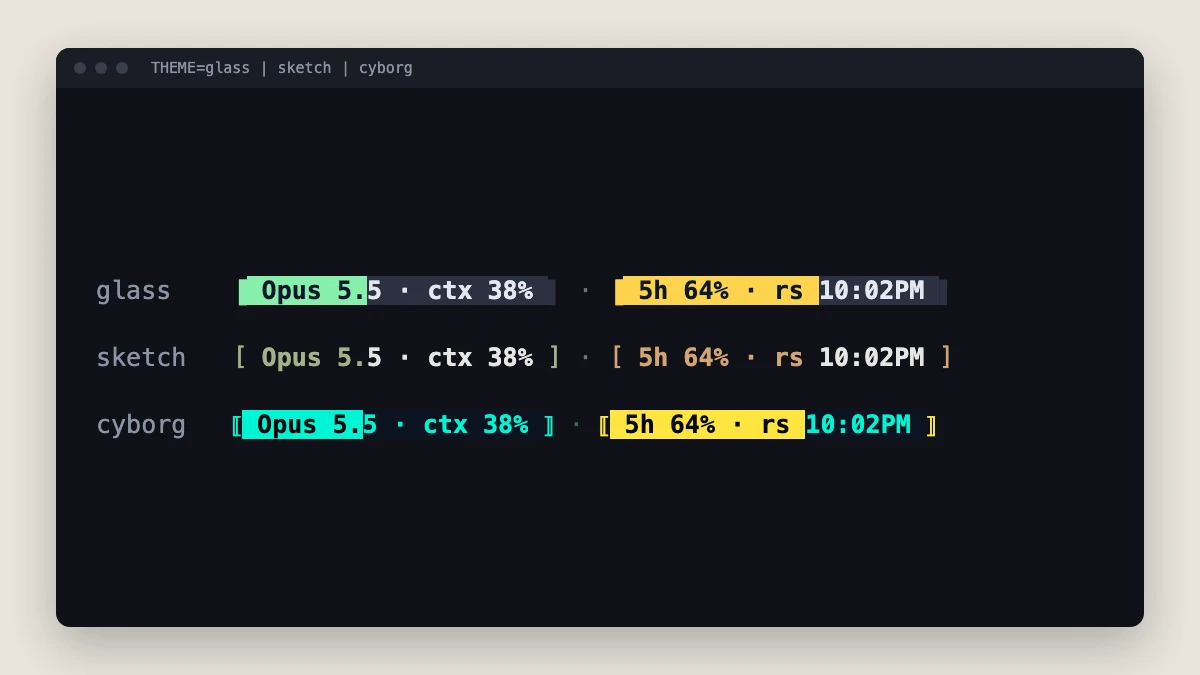
The context and 5h capsules in three themes, one per row: glass in pastel green and amber blocks, sketch in square brackets with coloured text only, cyborg in cyan and yellow blocks between double brackets.
Three themes. Glass fills with soft pastels. Sketch draws with characters and no background colour. Cyborg is neon on near-black with a dashed track.
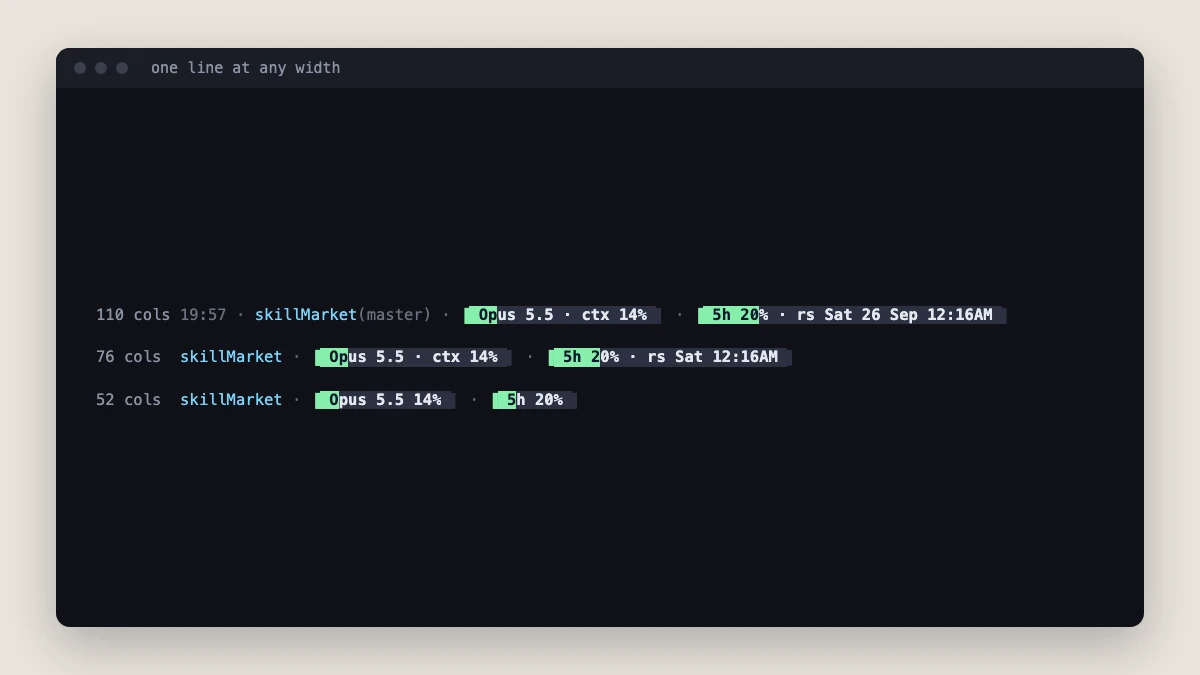
The same status line at 110, 76 and 52 columns. At 110 it shows the time, folder and branch, and both capsules with the full reset date. At 76 it shows the folder and a shorter reset time. At 52 it shows the folder and two short capsules.
One line at any width. As the terminal narrows it drops detail in a fixed order: the clock, the countdown, the branch, then the long labels. The folder stays, and the reset times stay until the last.
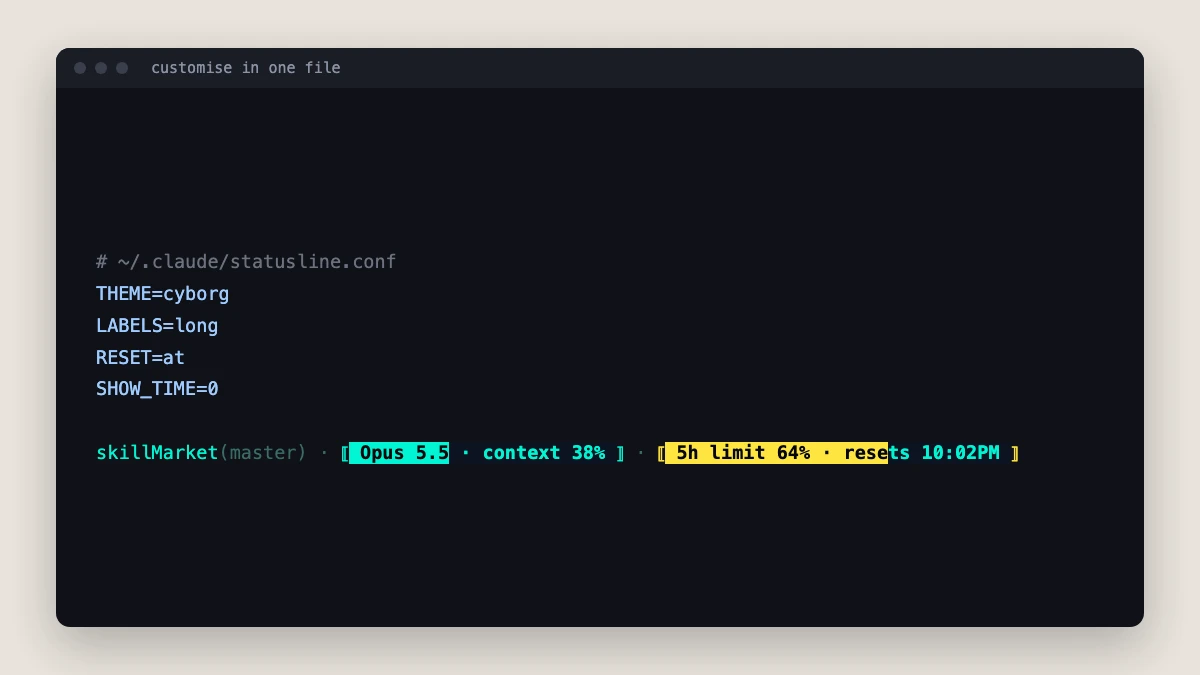
A settings file with THEME=cyborg, LABELS=long, RESET=at and SHOW_TIME=0, and below it the resulting line: skillMarket (master), then capsules reading Opus 5.5, context 38 percent, and 5h limit 64 percent, resets 10:02PM.
Customise in one file. Four lines in ~/.claude/statusline.conf switch to the cyborg theme with long labels and exact reset times, and hide the clock. Or ask Claude to do it.
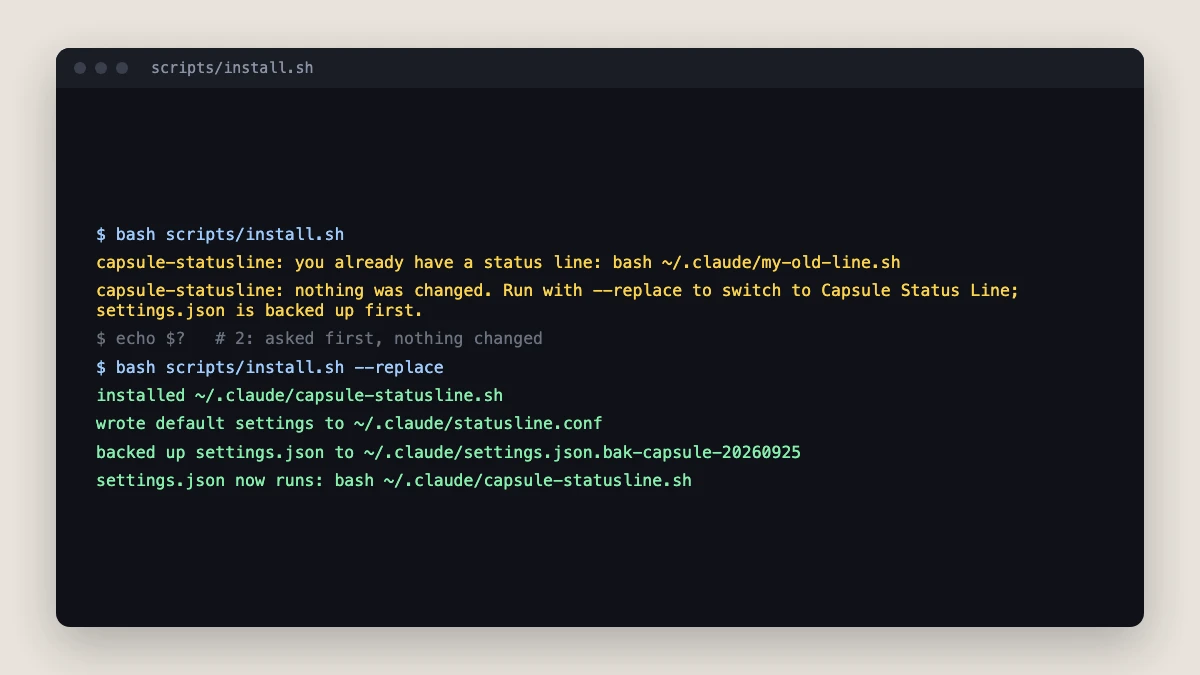
Terminal output of the installer. The first run reports an existing status line and that nothing was changed. The second run with --replace installs the script, writes default settings, backs up settings.json and sets the new status line.
An installer that asks first. If you already have a status line it stops and changes nothing. With --replace it backs up settings.json and changes only its statusLine key.

Every capture is the script's real output on 25 September 2026, run with sample usage numbers and drawn in a terminal frame. Your terminal's font changes the look of the capsule ends slightly.

Trigger accuracy

Not measured yet. We will publish the trigger accuracy here, with the date and the test suite, once the eval has run. No number until then.

What we changed

  1. Each capsule says what it measures and when it resets: "5h 20% · rs 12:06AM", "wk 93% · rs Mon 28 Sep 5:50AM", with the day and date whenever the reset is not today.
  2. The label is drawn inside the bar, dark on the filled part and light on the rest, and the fill changes colour at 60% and 85%.
  3. Three themes, glass, sketch and cyborg, and every label, colour, threshold and field set from one settings file that updates never overwrite.
  4. Stays on one line in a narrow terminal by dropping detail in a fixed order, keeping your folder at every width and the reset times until last.
  5. An installer that backs up settings.json, changes only its statusLine key, and stops to ask before replacing a status line you already have.

What it does, on real work

Install it

> install the capsule status line

Written to run the installer, stop and ask if you already have a status line, back up settings.json, then show all three themes with --demo.

Change the look

> switch my status line to the cyborg theme with long labels

Written to set THEME=cyborg and LABELS=long in your settings file, leave every other line alone, and show you a preview line before calling it done.

Trim it

> hide the weekly limit and turn red at 75%

Written to set SHOW_WK=0 and CRIT=75, and to say so plainly if a request needs something no setting provides rather than patching the script.

Requirements

  • Claude Code with skills and the statusLine setting
  • macOS or Linux with bash 3.2 or later and jq
  • The 5h and wk capsules need a claude.ai Pro or Max plan; context works on any plan
  • A terminal with 24-bit colour: iTerm2, Ghostty, WezTerm, Kitty or VS Code
  • Optional: a Nerd Font, only for rounded capsule ends

Related

traders-zone.in, a live site built in this style

Dark and premium without looking generated: glass cards, a violet and lime identity, mono numbers.

Eval suite not run yet
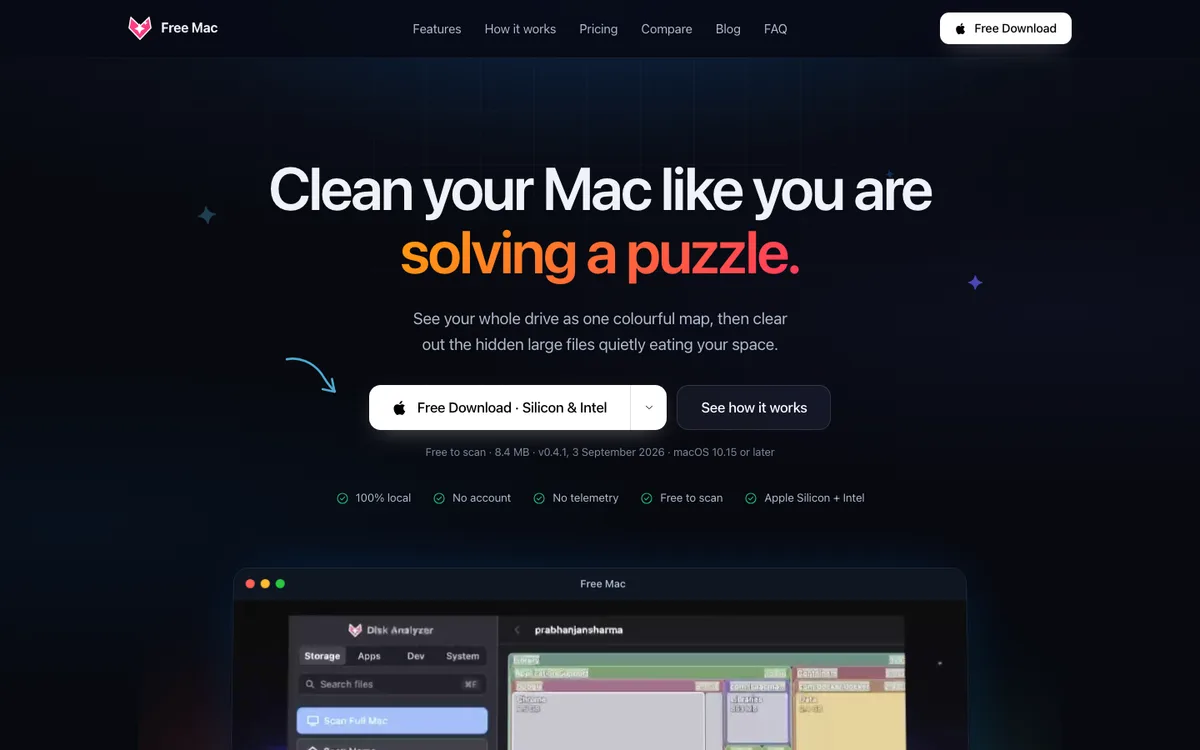
free-mac.online, a live site built in this style

An app that feels like Apple shipped it: system colours, SF type, a real Mac window.

Eval suite not run yet