New: SEO Blog Writer, a readable, checked blog post for your site every week. Pay once, download straight away.

See it
AI Skill Up
Browse skills

UI & UX

App Icon Foundry

Original app icons from a one-line brief, in seven styles, exported for every platform.

An app icon is the one piece of design every product needs and almost nobody wants to commission: it has to read at 29 pixels, it has to look like it belongs on a phone, and it has to come in a dozen sizes and shapes for different stores.

App Icon Foundry turns a one-line brief into a contact sheet of original icons in seven styles, from glossy 3D and flat mascots to neon, holographic, sticker, pixel and letter marks. Each candidate is shown at full size and at home-screen and notification sizes, so you pick one that works where it is actually seen.

Pick one, ask for changes in plain words, and export: one command writes the iOS, Android adaptive, Google Play, macOS, favicon and PWA files, plus the tags to paste into your site. Every install seeds its designs from its own salt and keeps a record of what you have made, so it does not hand you a repeat.
See it working

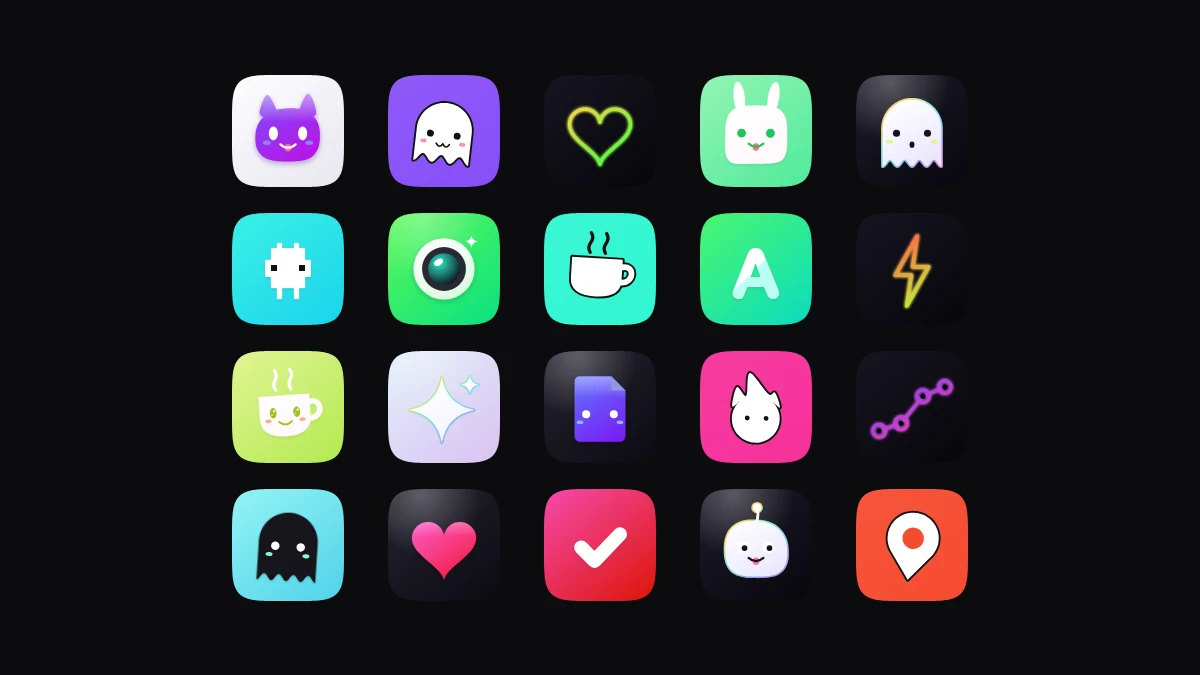
A dark grid of twenty rounded-square app icons: a purple cat face on white, a white ghost on violet, a neon heart, a pixel creature on cyan, a camera lens on green, a steaming cup on mint, a letter A, a lightning bolt, a document with a face, a flame mascot on pink, a rising chart, a heart, a check mark, and a map pin on orange.
Twenty icons, one skill. Mascots, marks and objects across all seven styles, every one generated by the skill.
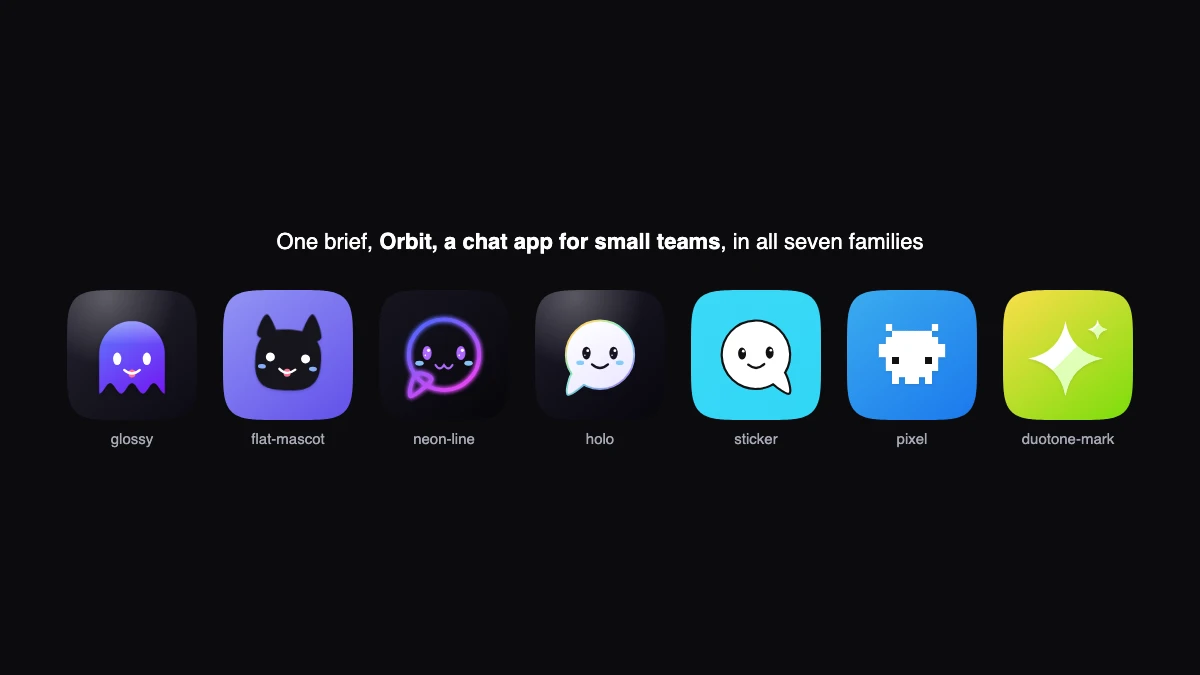
Seven icons in a row labelled glossy, flat-mascot, neon-line, holo, sticker, pixel and duotone-mark: a violet ghost on dark, a black cat face on lavender, a neon speech bubble, a pale bubble with an iridescent rim, a white outlined bubble on cyan, a pixel creature on blue, and a white sparkle on lime.
One brief in seven styles. A chat app for small teams as glossy, flat mascot, neon line, holographic, sticker, pixel and duotone mark.
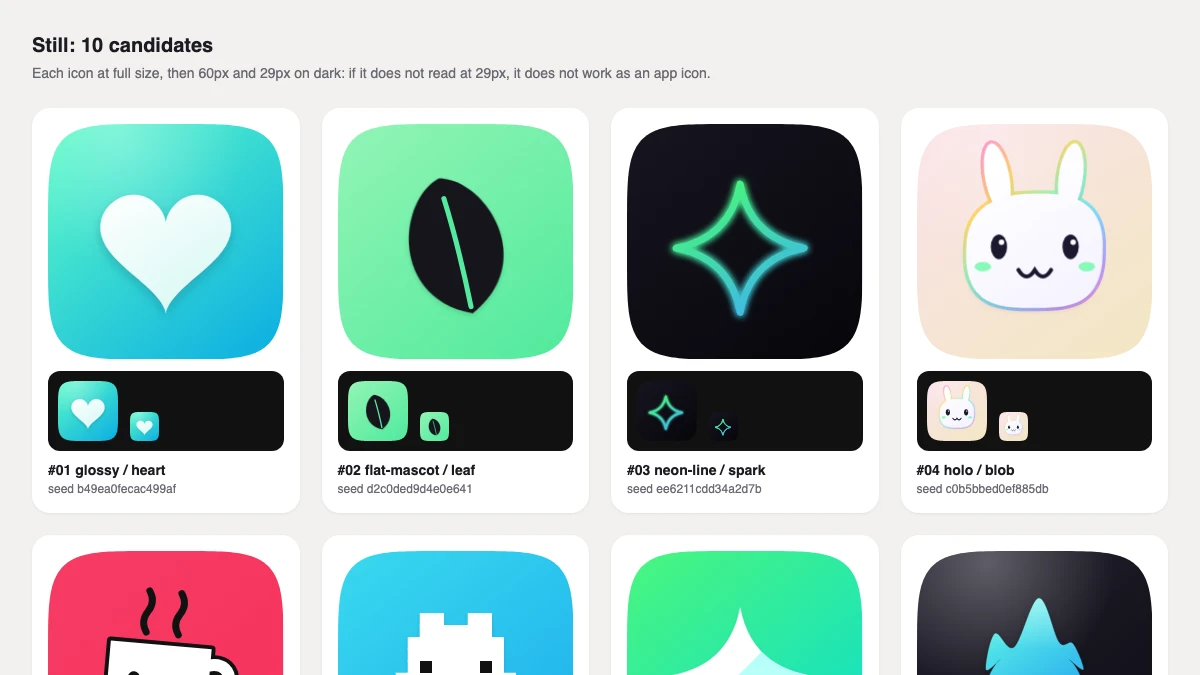
The contact sheet page for a meditation app called Still: cards with a glossy heart with a face, a black leaf on mint, a neon sparkle and a bunny with an iridescent rim, each with small 60 and 29 pixel versions on a dark strip underneath.
A contact sheet you judge at real sizes. Every candidate at full size, then 60px and 29px on dark. If it does not read at 29px, it does not work as an app icon.
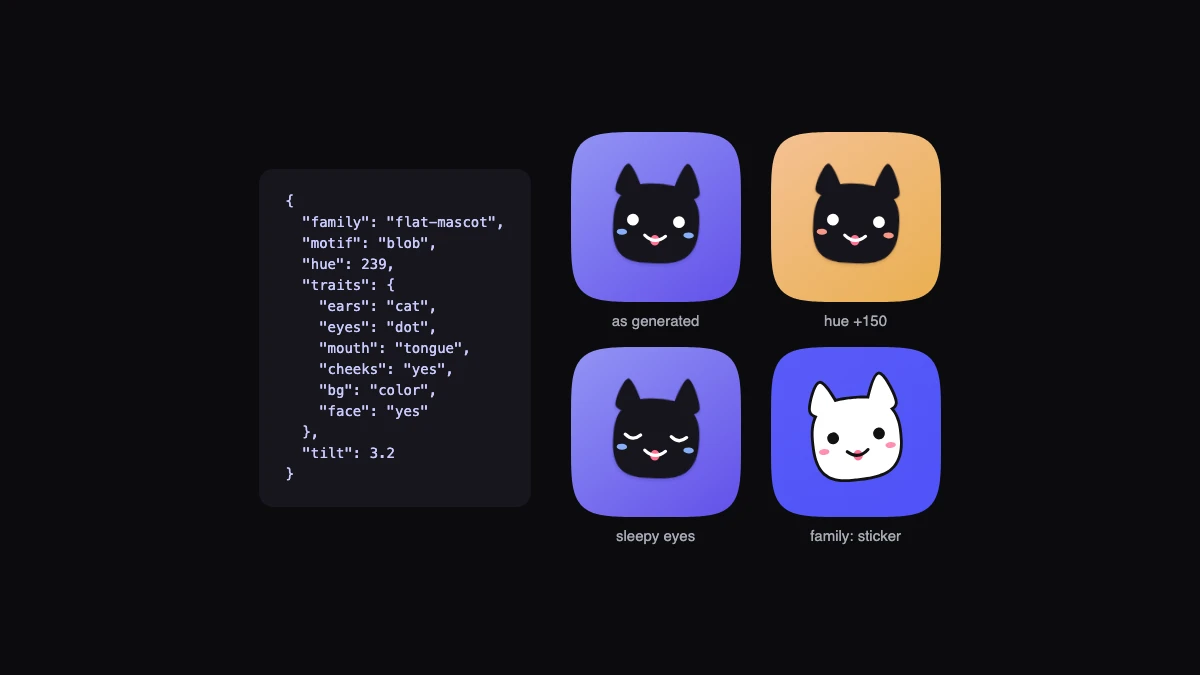
A JSON spec for a flat-mascot blob beside four versions of the same black cat face: as generated on lavender, with the hue shifted to peach, with sleepy eyes, and redrawn in the sticker style on blue.
Change it in words. Every icon is a small spec. Ask for another colour, other eyes or another style and only that changes.
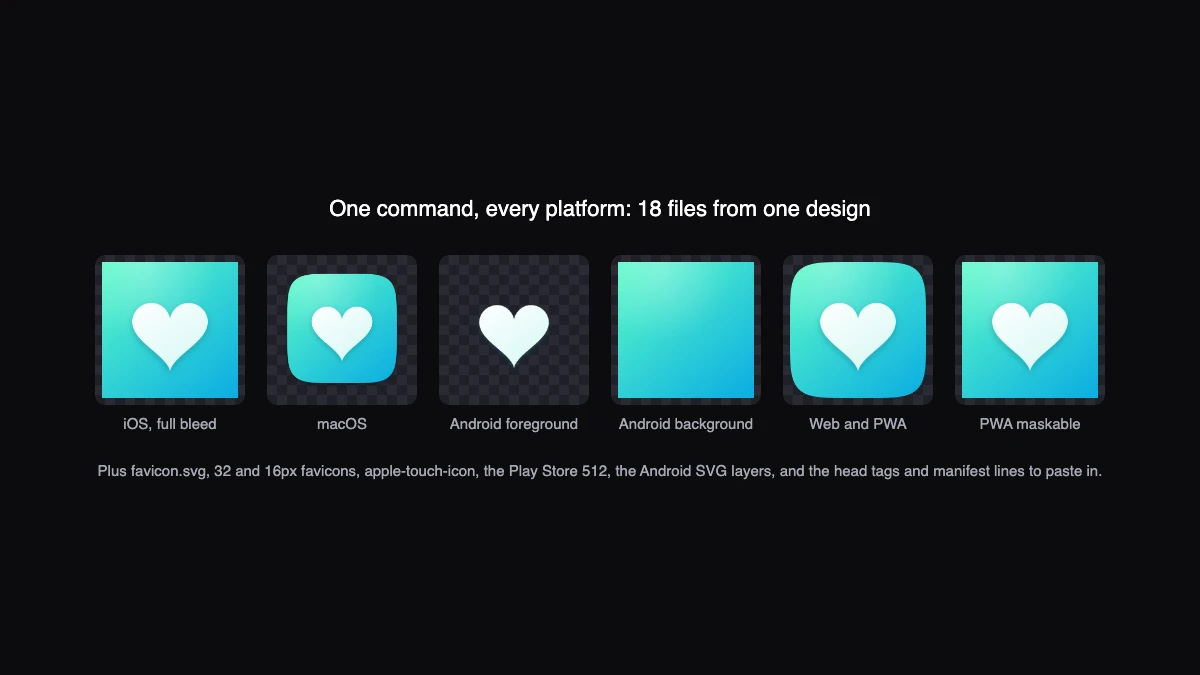
Six versions of one heart icon on a checkered background: iOS full bleed square, macOS rounded with a shadow, the Android foreground alone, the Android background alone, the rounded web icon and the full-bleed maskable icon.
Every platform from one design. iOS full bleed, macOS inset, Android adaptive layers, web and PWA maskable, plus favicons and the tags to paste in.
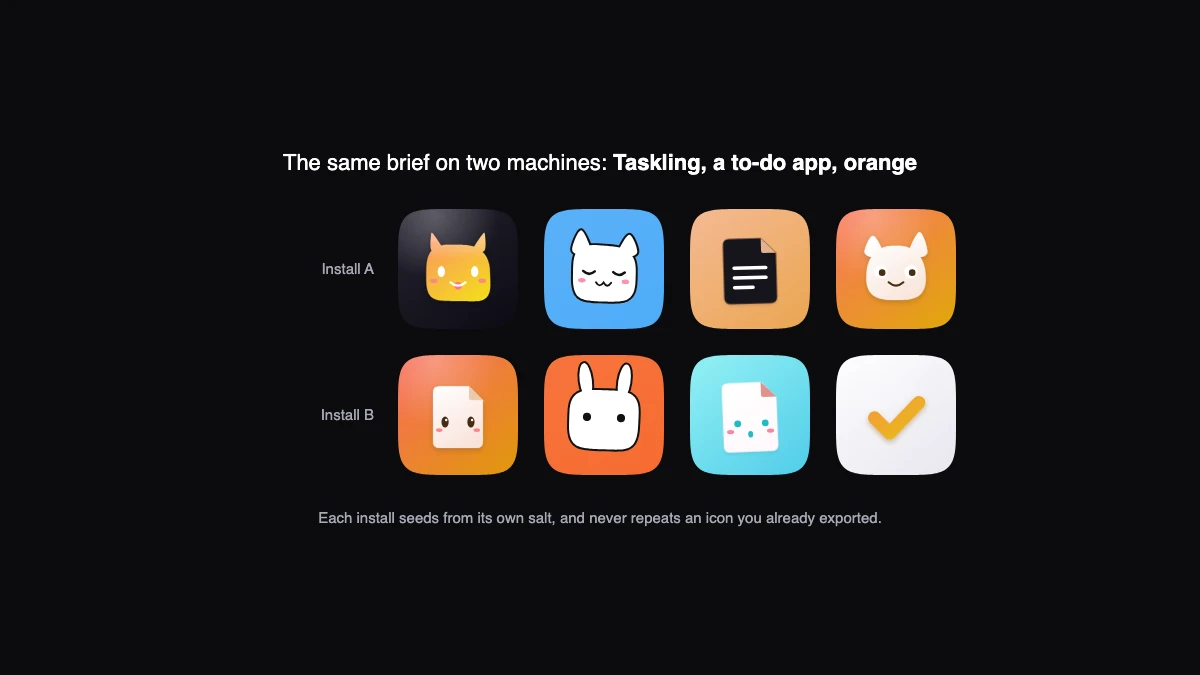
Two rows of four icons for a to-do app called Taskling, labelled Install A and Install B. The rows share no icon: cats, a document, a bunny, a tomato-like character and a check mark in orange, blue and cyan.
No two installs start the same. The same brief on two machines gives different icons, and your own install never repeats one you have exported.

Every icon on this page was generated by the skill on 28 September 2026, from the briefs shown. None is a copy of an existing app's icon, and the skill will not make one.

Trigger accuracy

Not measured yet. We will publish the trigger accuracy here, with the date and the test suite, once the eval has run. No number until then.

What we changed

  1. Seven styles taken from how the best app icons are built, not from any one icon: glossy 3D, flat mascot, neon line, holographic, sticker, pixel and duotone mark.
  2. Sixteen motifs matched to what the app does, from characters with ears, eyes and cheeks to pages, checks, hearts, charts, leaves, cups, pins and lenses, and a way for Claude to draw its own inside the same lighting.
  3. A contact sheet that shows every candidate at 29px on dark before you choose, because that is where an icon is seen most.
  4. One export for every platform, with the rules each store enforces: iOS without transparency, Android's adaptive safe zone, the PWA maskable circle, macOS's inset shape.
  5. Per-install seeds and a local record of what you exported, so two people with the same brief get different icons and you never get a repeat.

What it does, on real work

A first icon

> make an app icon for Pebble Notes, a calm note-taking app, purple

Written to produce a contact sheet of about twelve candidates across the styles, using motifs that say notes, each shown at full size, 60px and 29px.

A mascot

> a playful mascot icon for a habit tracker, sticker style

Written to produce characters with faces on bright grounds, thick black outlines and a slight tilt, and to change ears, eyes or colour on request.

Ship it

> export number 4 for iOS, Android and the web

Written to write every platform's files into one folder, with the favicon set, the manifest lines and the head tags, and to say where each file goes.

Requirements

  • Claude Code with skills support
  • Node 18 or later, with no packages to install
  • For PNG export: sharp in the project, rsvg-convert, or Chrome. Without one you still get every SVG
  • Any platform: iOS, Android, macOS, web and PWA files are all included

Related

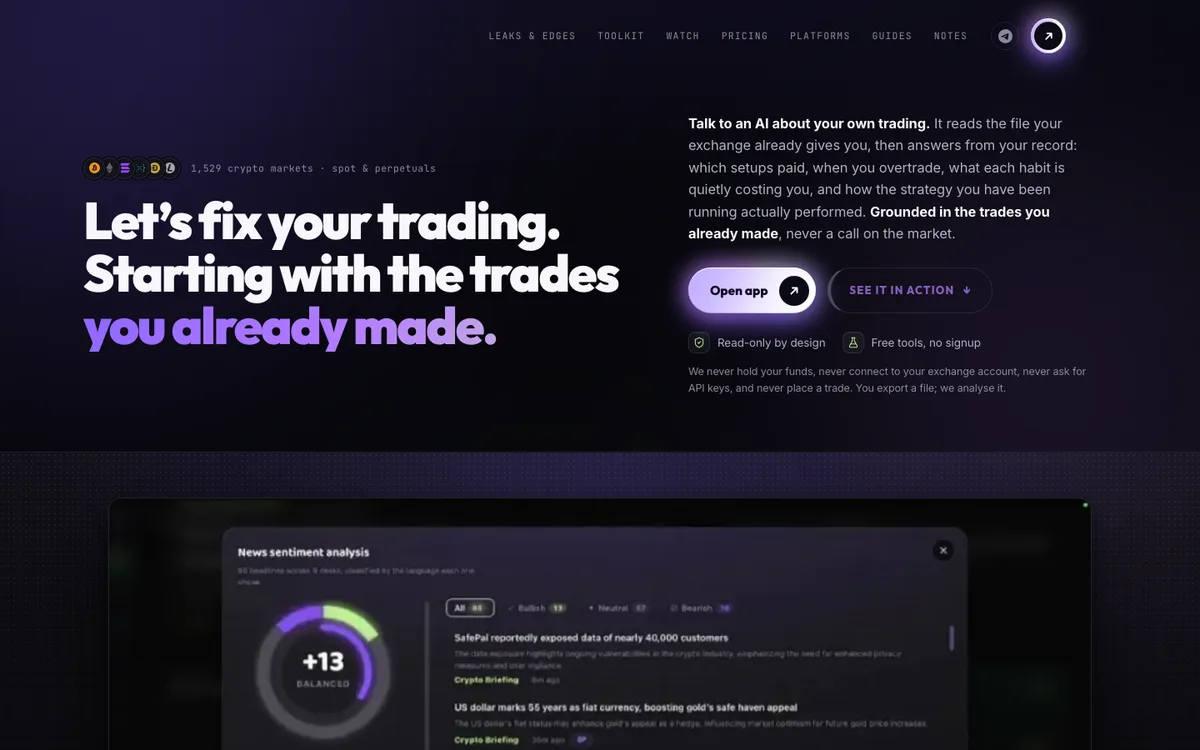
traders-zone.in, a live site built in this style

Dark and premium without looking generated: glass cards, a violet and lime identity, mono numbers.

Eval suite not run yet
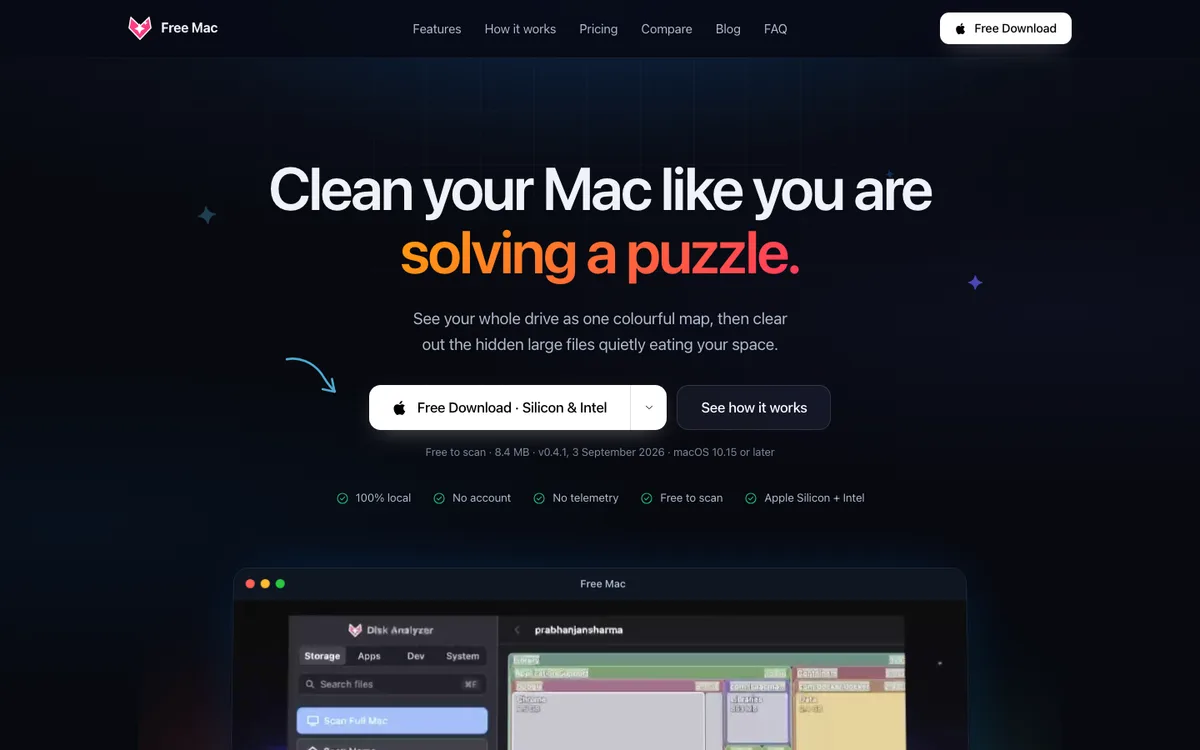
free-mac.online, a live site built in this style

An app that feels like Apple shipped it: system colours, SF type, a real Mac window.

Eval suite not run yet